


Get my top 1% AI workspace template free: https://diy.aimakeover.io/r/master-claude
Stop typing, start talking: https://get.glaido.com/liam-ottley
Want an AI Makeover for YOUR Business?
👉🏻 https://bit.ly/aimakeover
Follow me on Instagram to see behind the scenes:
🤳🏻 https://instagram.com/liamottley
🛠 MY TECH STACK
Hostinger (agent & web hosting): https://hostinger.com/liamvps
Hyperagent (AIOS workspace): https://www.hyperagent.com/liam
Ospry (AI lead gen): https://www.ospry.ai?fpr=liam41
Glaido (voice transcription): https://get.glaido.com/liam-ottley
Firecrawl (web scraping): https://firecrawl.link/liam-ottley
Supadata (video scraping): https://supadata.ai/?ref=liam
Apify (all other scraping): https://apify.com?fpr=8txghh
ElevenLabs (voice agents & cloning): https://try.elevenlabs.io/liam
Claude Code (coding): https://claude.com/claude-code
Supabase (database): https://supabase.com
Some links above are affiliate links. Using them supports the channel at no extra cost.
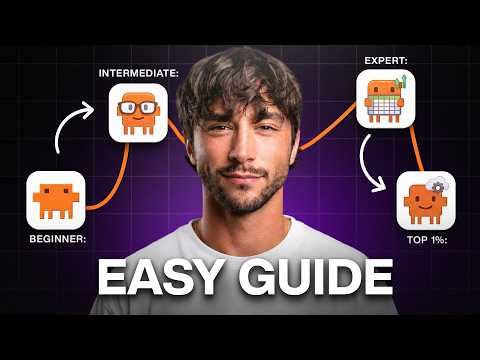
Liam contrasts two $20 Claude users—Dave, who treats it like Google, and Marcus, who uses it as a full-time assistant—then walks viewers up a “ladder” to use Claude better than 99% of people. He frames Claude as needing “knowledge” and “tools,” recommends using the desktop and phone apps, choosing the right model, enabling tools like web search, and turning off chat training for privacy. Liam teaches better prompting via voice input, having Claude interview you, and forcing it to argue and verify sources, plus using new chats per task and Deep Research. Advanced steps include exporting ChatGPT data, enabling memory, setting global rules, doing a personal brain dump, using Projects, and connecting email, calendar, and apps. He then covers artifacts, browser extension/Teach Mode, Co-Work folders, Skills, routines, Dispatch, and finally Claude Code/Design, API keys, a free Claude Code workspace template with commands, and an upgraded Deep Research skill to automate tasks along an “automation spectrum.”
00:00 Dave vs Marcus
01:04 Knowledge and Tools
01:28 App Setup and Models
02:53 Prompting Habits
04:10 Trust but Verify
04:46 Context Window Fix
05:11 Deep Research Basics
06:21 Build Claude Memory
08:28 Projects and Connectors
10:26 Artifacts and Browser
11:25 Cowork and Dispatch
12:12 Skills and Automation
13:53 Become a Builder
16:32 Template and API Keys
18:15 Rebuilt Deep Research
19:26 AI Operating System
21:45 Final Ladder Challenge
