



The Blueprint to build profitable apps: https://startup-ideas-pod.link/app-blueprint
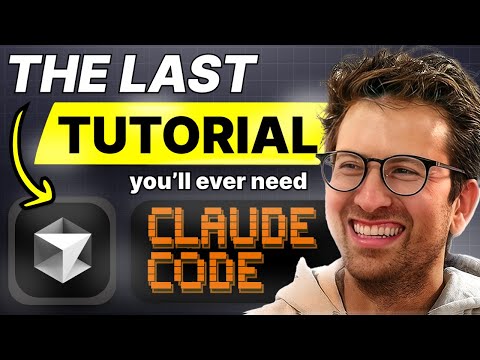
On this episode I sit down with indie app builder and designer Chris Raroque to walk through his real AI coding workflow. Chris explains how he ships a portfolio of productivity apps doing thousands in MRR by pairing Claude Code and Cursor instead of picking just one tool. He live-demos “vibe coding” an iOS animation, then compares how Claude Code and Cursor’s plan mode tackle the same task. The episode closes with concrete tips on plan mode, MCP servers, AI code review, dictation, and deep research so solo devs can build bigger apps than they could alone.
*Timestamps*
00:00 – Intro
03:04 – Which Tools & Models to Use
09:16 – Thoughts on the Vibe Coding Mobile App Landscape
11:14 – Live demo: prompting Claude Code to build an iOS “AI searching” animation
18:07 – Live demo: prompting Cursor with same task
21:02 – Chris’s Best Tips for Vibe Coders
*Key Points*
* You don’t have to pick one IDE copilot: Chris actively switches between Claude Code and Cursor because they have different strengths.
* For very complex bug-hunting, he prefers Cursor with plan mode; for big-picture app architecture, he leans on Claude Code with Opus.
* Non-developers should start on higher-level “vibe coding” platforms like Create Anything for mobile apps before graduating to Claude/Cursor.
* Plan mode plus detailed, spoken prompts dramatically improves code quality, especially for UI and animation work.
* MCP servers and AI code review bots let solo developers safely set up infra, enforce security, and catch bugs they’d otherwise miss.
* Claude’s deep research is a powerful way to choose the right patterns and libraries before handing implementation back to Claude Code or Cursor.
Summaries
1. Why Use Both Claude Code and Cursor
Instead of committing to a single tool, Chris runs Cursor as his main editor and terminal, with Claude Code running in a side panel, and swaps based on the task. He uses Claude Code with Opus 4.1 for extremely complex or architectural work until he hits usage limits, then relies on Cursor plan mode with GPT-5.1 high for planning and Sonnet for execution. He notes that Claude feels slightly better at UI work, while Cursor’s plan mode shines on gnarly bugs and multi-step changes.
2. Claude Code vs Cursor Plan Mode
To compare tools, Chris undoes the Claude changes and asks Cursor plan mode (with Sonnet for execution) to implement the same animation. Cursor generates a detailed plan, asks clarifying questions about replay behavior and placeholders, then edits the code. On first try, Chris and Greg agree Cursor’s result is slightly smoother than Claude’s initial attempt, even though both use the same Sonnet model under the hood. Chris uses this to illustrate how plan mode alone can dramatically change outcomes.
3. Core Workflow Tips: Plan Mode, UltraThink, Background Tasks, MCP
Chris’ first big tip is to enable plan mode for almost every action in Cursor and Claude Code so the model can think through steps before touching the codebase. In Claude Code, he also uses the “UltraThink” keyword on most complex prompts to force deeper reasoning, and runs servers as background tasks so Claude can read logs directly during debugging. He then layers MCP servers like Context 7 (for up-to-date, compressed docs) and Supabase/Firebase/AWS MCP (for schema, security rules, and infra setup), arguing that AI often configures security better than rushed humans—though he’s more cautious in production.
4. Security and Shipping
For solo developers without teammates to review code, Chris relies on AI code review tools like BugBot and Cursor’s PR reviewer to scan for security issues and bugs before merge. He dictates most prompts via Whisperflow so he can give long, detailed instructions without slowing down, and he uses Claude’s deep research in the chat app to explore “best practice” patterns before implementing anything. The combination—plan mode, MCP, AI reviewers, dictation, and deep research—lets him ship sophisticated apps quickly while still sleeping at night.
The #1 tool to find startup ideas/trends – https://www.ideabrowser.com/
LCA helps Fortune 500s and fast-growing startups build their future – from Warner Music to Fortnite to Dropbox. We turn ‘what if’ into reality with AI, apps, and next-gen products https://latecheckout.agency/
The Vibe Marketer – Resources for people into vibe marketing/marketing with AI: thevibemarketer.com
Startup Empire – get your free builders toolkit to build cashflowing business – https://startup-ideas-pod.link/startup-empire-toolkit
Become a member – https://startup-ideas-pod.link/startup-empire
FIND ME ON SOCIAL
X/Twitter: https://twitter.com/gregisenberg
Instagram: https://instagram.com/gregisenberg/
LinkedIn: https://www.linkedin.com/in/gisenberg/
FIND CHRIS ON SOCIAL
Youtube: https://www.youtube.com/@raroque
X/Twitter: https://x.com/raroque
Instagram: https://www.instagram.com/chris.raroque/
